So I Built a Mac App
Nadine and I shoot a lot of photos. A lot in the sense that we are still beginners and have quite an amount to sort through every time. But the amount of pictures is not what this is about.
After going out with the camera we go through the same routine: connect the camera, open Photos or Photomator, and start deciding what comes in and what gets deleted. The problem is that both apps only show tiny previews during import. I would go as far as say the import functionality of the apple photos app is really poor. It is impossible to tell how a photo actually turned out, so you end up importing everything and making decisions later, inside your library. Which means if you are as lazy as me, your library keeps growing with the same blurry photos.
I looked for something better and did not find it, so I built it. It is called Hypo. In hindsight I found tools like PhotoCuller which is exactly what I was looking for initially. So I should have been putting more effort in looking, no? But where’s the fun in that.
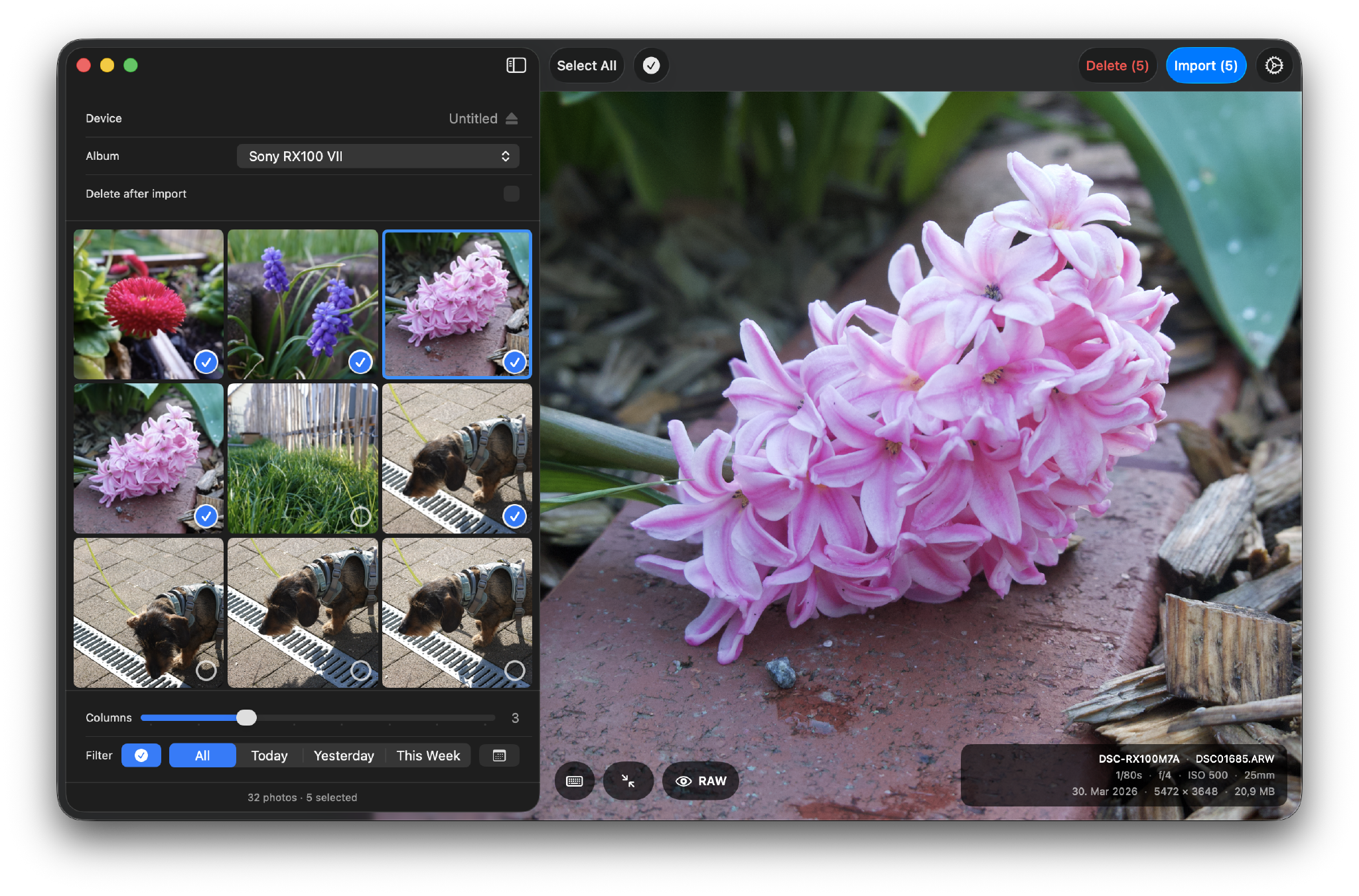
Hypo decodes the actual RAW file from the external volume on your Mac and shows you that before you import anything. Loading happens in three passes: a small thumbnail first, then the embedded JPEG, then a rasterized RAW. If you want the crispest possible preview, you can set Hypo to use the original RAW on the third pass. Navigation stays fast because the app loads images asynchronously, debounces input, and controls the loading pipeline manually so nothing ever gets stuck and it stays responsive.
I wanted EXIF always visible, without having to open anything: camera, aperture, shutter speed, ISO, focal length, resolution, file size. Zoom and pan on the trackpad make it easy to judge sharpness for me. It took me a while to figure out a good UX pattern so the images do not feel too floaty when pushing them around on the canvas. Without guardrails you can easily zoom out to 1% and get completely lost.
You use arrow keys to navigate and the spacebar to select a photo and jump to the next one. Hypo vizualizes photos already in your library. You can also filter out already imported photos entirely, so the grid only shows what you still need to go through.
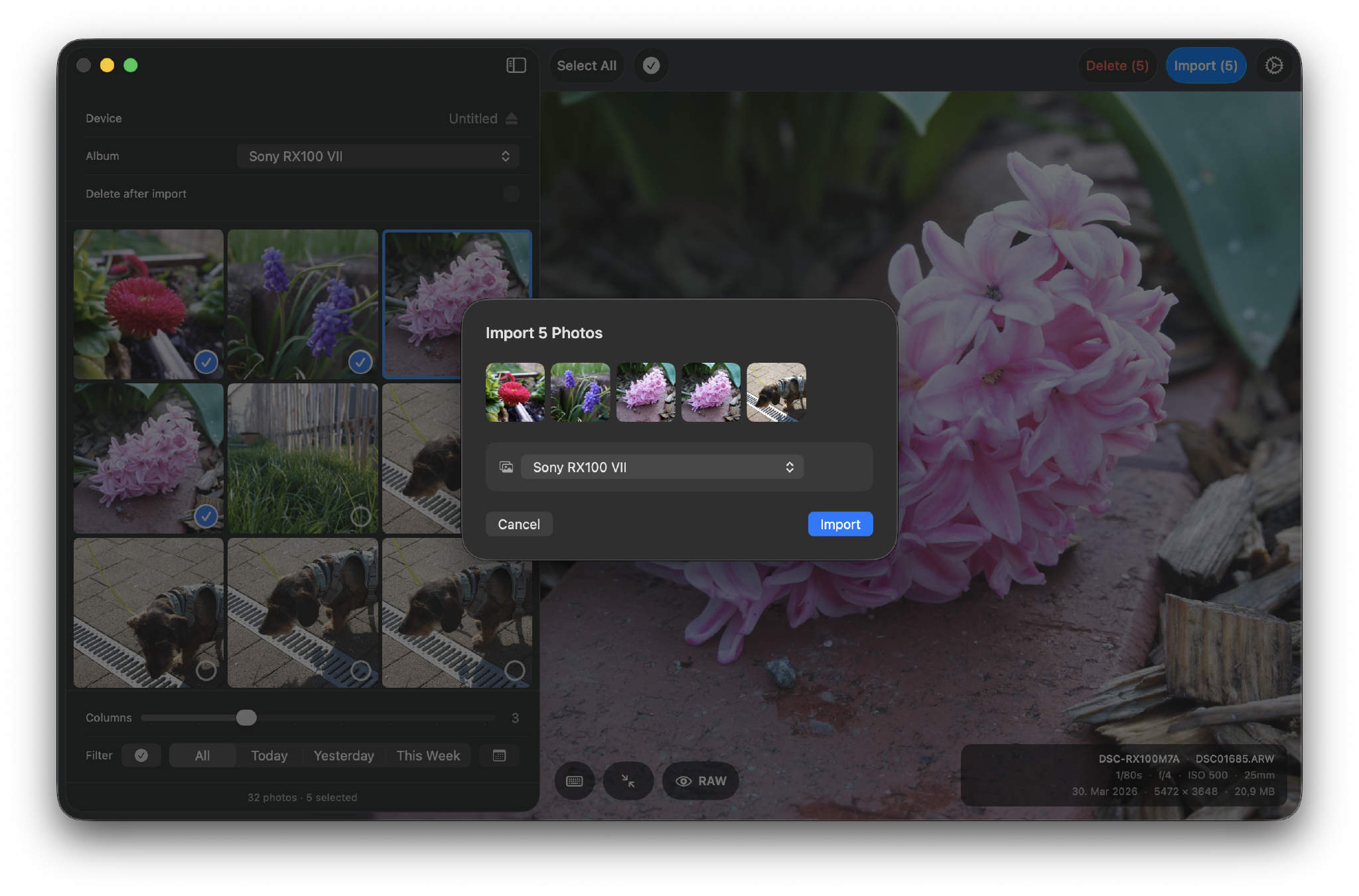
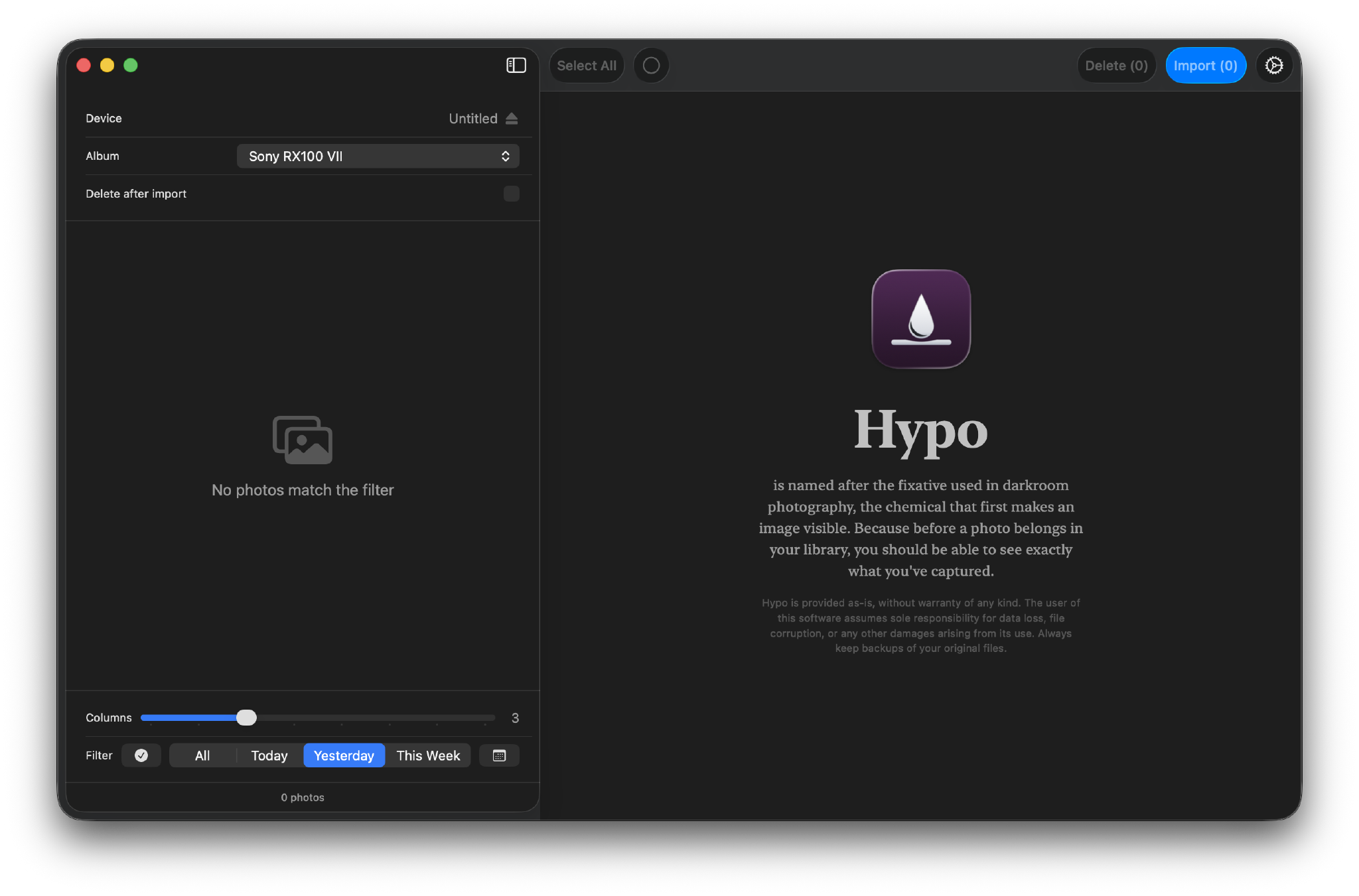
The name comes from hypo, the fixative used in darkroom photography. It is the chemical that makes a latent image visible for the first time. The idea felt right: before a photo belongs in your library, you should be able to see exactly what you captured. Half of the time building this app I was researching for a good name.
I built it in about five hours over one evening and the next morning, using Claude Code. It is my first macOS app. I have written a lot of backend and web code over the years, but SwiftUI was new to me. Some things I expected to struggle with worked well through Apple’s good libraries: connecting to the camera as a mounted volume, reading EXIF, decoding RAWs progressively. Getting the layout to do exactly what I wanted took annoyingly long. I have no idea how people do this with these crazy Swift layouts, also it seems the state management is similar to that of React Redux.
I built Hypo for Nadine and me. Next to this blog, it is one of the few things that combines both sides of what I spend my time on: product and software development on one side, photography on the other.
The app is fully localized in German, English and a few more languages. It will not be open source, since it is a notarized and signed app at the end of the day. The plan is to put it on the App Store after a friends and family test. If you want to try it and give feedback before it lands in the App Store, just send me an Email . I will share it as an Apple notarized DMG once I have that sorted. It is easy to install and as secure as something can get that needs access to external volumes and offers to import and delete things from them. Your decision :)