Hypo 1.18.1
Hypo 1.18.1 is out. After months of feature releases I wanted to rework the fundamentals, so I went through the whole app, with a fresh pair of eyes to challenge past decisions and improve reliability of the import process further. What came out of it is the biggest amount of changes under the hood so far. (Sounds like something they would say at an Apple keynote.)
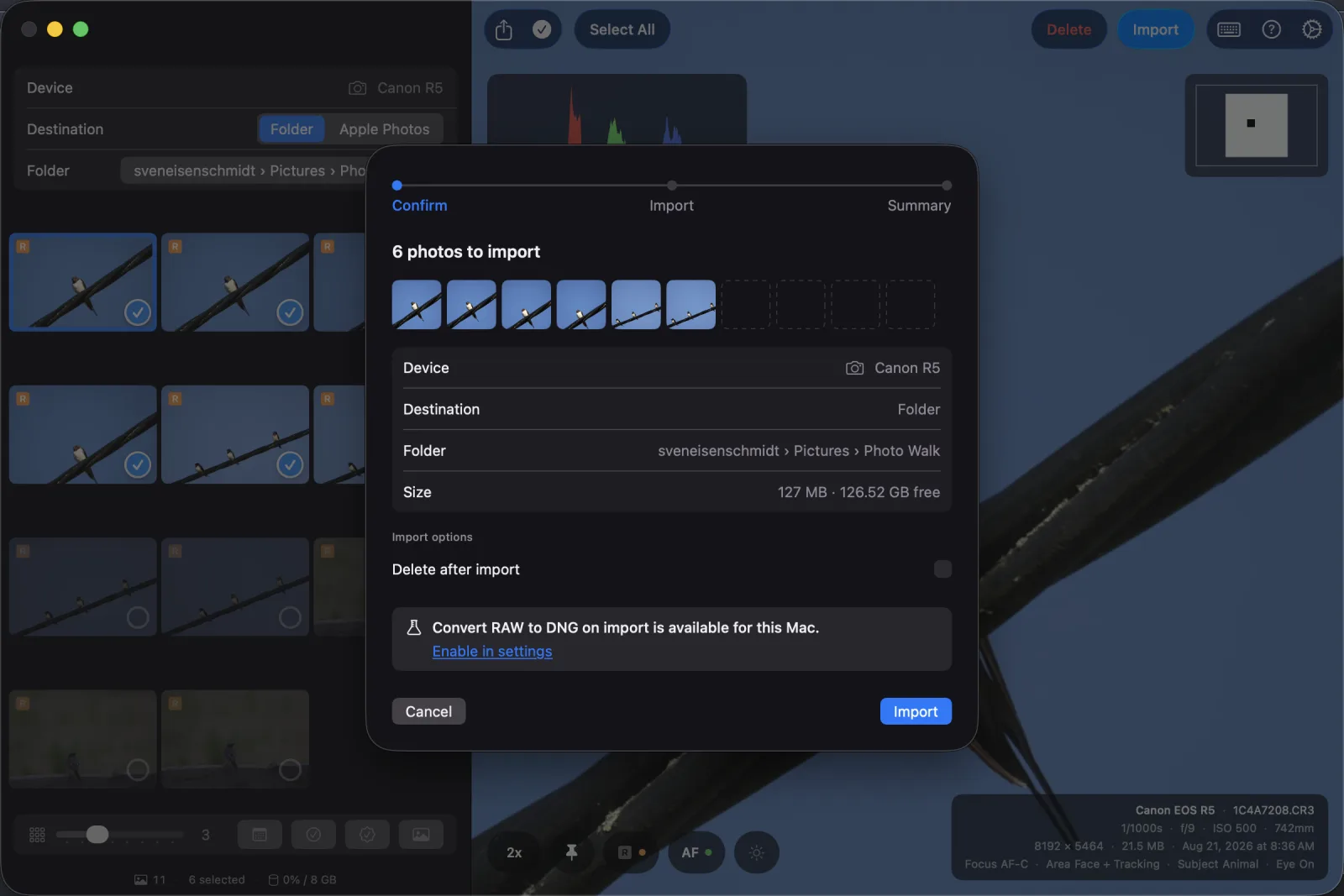
- Caption
- Hypo import screen
Hypo’s job is to copy files, and it used to offer deleting the original as soon as the write didn’t throw an internal error, and if you said yes, it would do it. I learned a copy can come back incomplete without anything throwing an error, yet it can count as imported. The new safety net is that every copy gets read back and compared with both source and destination before anything is deleted. That roughly doubles the copy time but it is still fast enough for large imports. If the companion JPEG fails but the compaion RAW not, did it work or not: so there are a few auxiliary improvements around duplicate checks, RAW+JPEG pair handling and deletion from the built-in SD card slot that that piggibacked along deleteing files from the source.
A few things I changed my mind about and want to be able to laugh about later, or serious defects fixed along the way:
- Shortcuts After avoiding going all-in on traditional shortcuts for culling, users can now simulate traditional picking behaviour which means select and next is fully supported. I still don’t like it but accept it works for others and makes a difference. I didn’t copy Lightroom’s reject flag. A check means import, no check means reject, you check the keepers, Select All, delete the rest.
- Preview: Initially I liked how resize to fit was handled in Hypo and that the picture can go behind the left sidebar, truth be told it does not make any sense as you often can not see the picture in its full size and aspect ratio. So zoom works as in Lightroom: a photo opens fitted to the window, double-click jumps to your last zoom level where you clicked, 1x is real pixels, and the level stays from photo to photo.
- RAW support: Hypo used to open ten RAW formats and ignored the rest. It now opens every RAW format your macOS can decode, hundreds of cameras, and the list grows when Apple adds one. Formats without a vendor-specific reader get no autofocus overlay, everything else works.
- Stop & retry: With this release, before an import starts you see the size of the selection and the free space at the destination, for folders and Apple Photos. A running import can be stopped now, failed photos retried, and the folder or album shows its full path and is remembered. This is handy for people like me who have an import folder under each of their Camera folders, at the end I ended up with 10 import folders in the Hypo list.
- Memory & disk space: Every full RAW decode left a copy of the file behind in a temp folder - this was a massive oversight on my part, well over a hundred gigabytes on my Mac, filed under System Data where you can’t see it. This was due to Apple’s sandboxing, you get a local inside-the-app filesystem in your app bundle and basically your app grows. So there was a
tmpfolder hidden inside my app which grew over weeks until my MBA’s disk was full. The image cache setting was applied twice, so Hypo held twice the memory you allowed. Duh. - Interface: Exposure adjustment, histogram and previews from a USB camera no longer block the UI, the settings panel looks the same on every tab, the histogram shows a placeholder while it computes - no more flickering or stale information, and the thumbnail strip keeps up during an import and does not pass out. And last, I did a color refresh of the UI to be more pleasant to my eyes.
- Update: I implemented patch releases. No more 1.x.0 releases of always bumping a minor version with 100 changes cramped together.